Showing posts with label websites. Show all posts

Monday, November 18, 2013

Frustrations and New Motivation

Well, if anyone is still following me, thank you.  I know it's been quite the hiatus. I am having a difficult year transitioning to 1:1 iPads, and was really feeling like I didn't have much to contribute, which kept me from writing.  The change has also kept me very busy, which has prevented me from blogging as well.  Going from teaching with paper and pencil to a paperless environment was a much harder transition than I had anticipated, and doing that with a very sweet, but very low group of students has made it even more challenging.  Thankfully, my principal provided the opportunity this past week for some colleagues and I to attend the iPad Summit in Boston.  This conference was so inspiring, and I really feel rejuvenated going back to school this week.  I love it when you have terrific professional development that just re-energizes you.  I learned so much and realized that I am greatly under-utilizing this fantastic tool that I have.

One of the most coolest things I learned about were ThingLinks (which can be used without the iPad) and I will be using them this week.  This website, www.thinglink.com, allows you to upload ANY image (as long as it is a picture type file), and then insert ANY type of link over the image (video, other images, text, soundbites, websites, ect).  I am going to use it as a station next week, where my students visit the image, and access the links to learn about absolute value and practice graphing absolute value.

TechChef4U (click here to go to her blog) was the presenter of this session at the conference, and this was her ThingLink that is filled with examples, and directions:


If you click on the little circles, or numbers on top of the image, you will find the things that she has linked to. She is also one of the speakers that inspired me to start blogging again.  I realized that I am really much more excited about teaching and much more creative when I am sharing my ideas, and so I need to start doing that again.  Once I finish my ThingLink, I will share it with all of you!  I am also going to share some of the other great resources, apps and ideas I learned about while in Boston over the next few days/weeks, I promise!

What are some ways you keep yourself motivated?

~Brittany~

Wednesday, June 5, 2013

More Laptop Fun

I was really worried a few weeks ago about how I was going to integrate the laptops into my classroom.  Don't get me wrong - I was excited as all get out - but still anxious.  My school  administration has been very good about not putting a ton of pressure on us to use them daily (or even weekly for that matter).   The overall feeling has been, use them when you can and for lessons where it works - in other words, don't force it or stress over it.  I was trying to figure out how I could use the laptops in ways that I already teach - and I was coming up with very few examples - it was stressful!  Once they had the laptops though, I realized now I can do the lessons I wanted to do before, but couldn't because I didn't have the resources.  For example, now I can have everyone complete an online activity at the same time instead of as a station.  This is great because a lot of online activities require more time to complete than one station rotation.


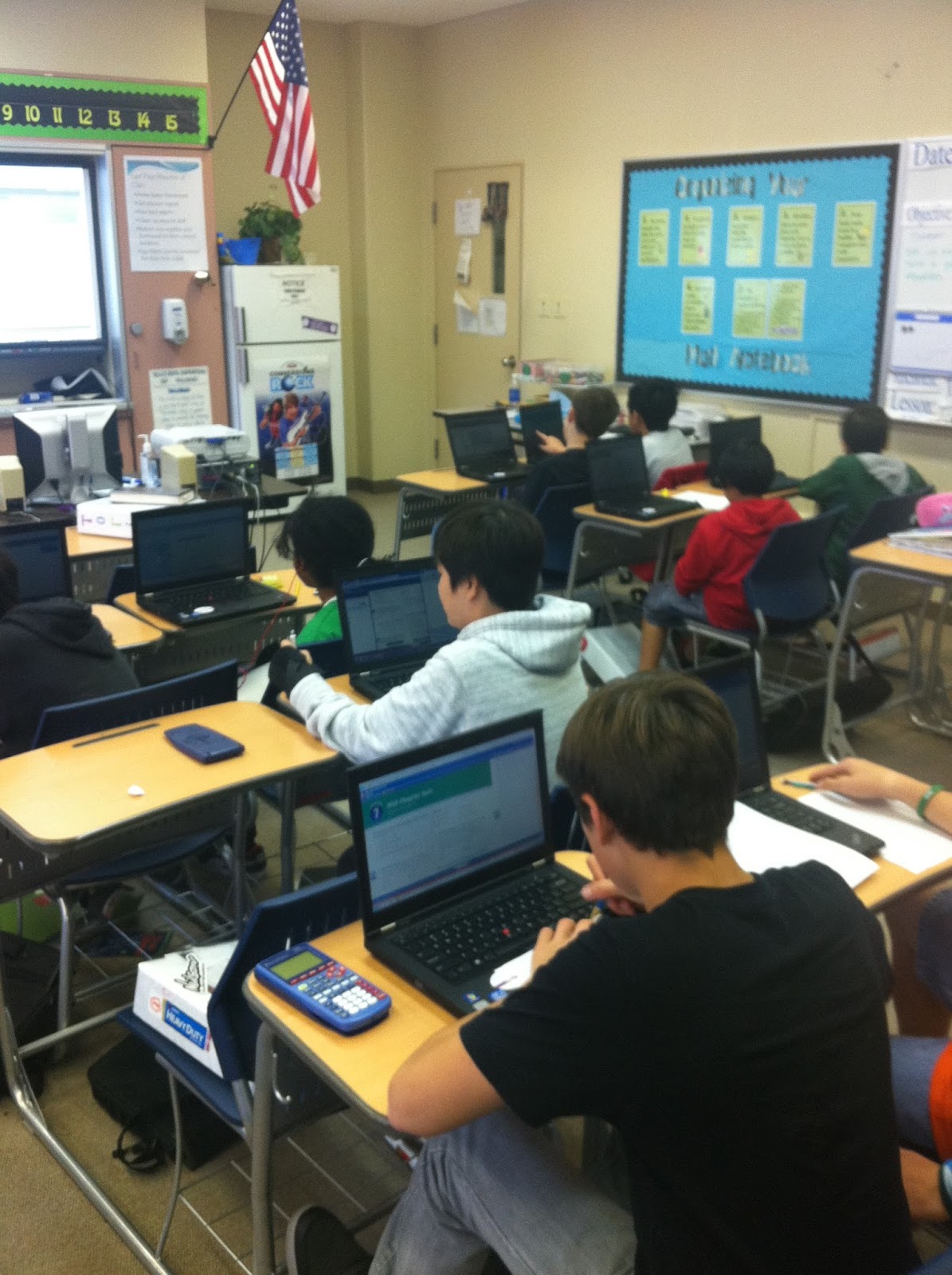
Students working on their laptops - I had to rearrange my classroom for my pretty new SmartBoard (see it on the wall?!)


I already shared this website, but www.internet4classrooms.com is just awesome.  The more and more I go through it, the more pleased I am.  I found the website I used for my lesson a few weeks ago on percents with discounts, interest and tips on here.


I had students visit http://www.mathplayground.com/mathatthemall2.html.  The website calls this a game, but I would describe it more as an activity.  Anyways, the students select their character and visit different stores in a virtual mall where they solve all kinds of percent problems.  They have to calculate tip at a cafe, interest at the bank, and discounts at the toy store and gym. Even better is the students get to make decisions that create the problems - they chose what to order at the cafe, how much money to deposit at the bank and what toys to buy at the toy store. The activity breaks the problems up into parts (and my only complaint is that they never really give them a chance to solve the problem from beginning to end without breaking it up for them), but I really liked it as an introduction to how to solve these types of percent problems.  I followed up this activity with some additional practice that offered less guidance.

The Home Screen for the game - students can choose where to go from here.
The Cafe in the game - students can select what they order here - I put out a few options of my own as an example.


What are some websites you've found that are just great?

~Brittany~

Monday, March 4, 2013

1:1 Laptops are HERE!

Wow!  We have finally rolled out all of our 1:1 laptops, and it is cool!  Our school is one of the pilot schools for DoDDS, and we have been preparing and planning all year for these suckers... and they're finally here!  We rolled them out one team at a time, and because I teach math I have students from all different teams.  That was a bit of a bummer because it meant that half of my students had laptops at the beginning of the month, but I had to wait until last week for the last group to get them.  Anyways, I didn't waste any time once they had them - we did our very first activity using the laptops the very next class. 

Our Assistant Principal sent the math department a great site (www.internet4classrooms.com) which is filled with online resources.  The best part is that they have an entire section devoted to the common core, with links (notice that's plural - more than one) for each standard within the math common core.  I found a link on there reviewing a skill I know my students are still struggling with, and copied it to my homepage as a warm up.  When students came in, I had them log on, visit my homepage and click the link.  Then they completed the practice problems on that site while I took roll and all of those other management things.  The site I chose kept track of how many problems students had attempted and solved correctly, so I made my way around the room and took note of how everyone was doing.  These are the exact same types of problems I would have given them on paper, but unlike paper and pencil, I had no complaints (and even had someone ask if we could keep doing warm-ups like this).  Crazy... but very cool.


After a few minutes of this, I had students go back to my homepage and close their laptops.  I don't know if anyone is familiar with the website www.thirteen.org/get-the-math, but it is AWESOME!  I highly recommend it.  They have videos and corresponding challenges that show students how math is used in real professions - and they're jobs students think are cool - like video game designer, fashion designer, recording studio execs (is that what that would be called...?), and so on.  They also have extension activities where students can solve other, similar, challenges. 

I used the recording studio challenge already this year.  It was related to proportional reasoning, and showed the students how you have to be able to find a unit rate to mix two tracks of music together.  The students really enjoyed it - especially the extension activity where they picked their own songs to mix.  The only problem was that I only had five computers at the time, so I either had to put students in groups or have them rotate through the computers.  I had students watch the video as a class, and together we completed the first challenge.  Later on, I had them revisit the site as a station activity and mix their own music.


This time, we were working on percent application, so we completed the fashion designer challenge.  In this challenge the students are given a shirt that the designer has decided is too expensive to sell as is, so students have to choose from a predetermined list of choices to lower the price.  They have to calculate what the wholesale cost would be before a 220% markup, and then select their changes, and reenter the cost break down on a spreadsheet. I had students watch the video together as a class, and then we had a short discussion before I let the students begin.  I let them work in pairs (but required them to each complete the work).  I had some students who were struggling with how to complete the spreadsheet, but overall the activity went very well.  A few of the boys were not so pleased with the fashion part of it, but I only had one student (who happened to be a girl) who was not engaged in the activity (and that was out of 80 students - pretty good, I'd say).


I was very happy with how my first attempt at integrating the laptops went, and it definitely made more excited to use them again.  The students are much more engaged, which means they're learning that much more. 

Does anyone else have any really cool sites they want to share?

~Brittany~